Core concepts
Phishing Overview
Our phishing approach
Phishing templates come straight from the wild, meaning we use real-world phishing emails as templates. This approach ensures that our simulations are as realistic and relevant as possible, preparing users for actual threats they may encounter.
Benefits of using real-world templates:
- Increased realism and relevance
- Up-to-date with current phishing trends
- Better preparation for actual threats
Phishing simulation
Our phishing simulation process is designed to educate and test users in a controlled environment, helping organizations improve their overall security posture.
Phishing Results
We track and report on four key metrics:
- Sent: The total number of phishing emails distributed in a campaign.
- Opened: The number of recipients who opened the phishing email.
- Clicked: The number of users who clicked on potentially malicious links or attachments.
- Reported: The number of users who correctly identified and reported the phishing attempt.
These metrics help organizations assess their vulnerability and track improvement over time.
Scheduling
We employ automated, random scheduling of phishing simulations to maintain unpredictability and simulate real-world conditions. Simulations are typically conducted once a month, striking a balance between regular testing and avoiding user fatigue.
Key aspects of our scheduling approach:
- Randomized timing within the month
- Consistent monthly frequency
- Automated process to ensure regularity
Retargeting
Users who click on a phishing email are retargeted within the next week. This focused approach helps:
- Reinforce learning for vulnerable users
- Provide immediate feedback and training
- Assess the effectiveness of post-click education
Our retargeting strategy ensures that those most at risk receive additional attention and support to improve their phishing awareness and response.
Landing page hosting domains
Our phishing simulation landing pages are hosted on the following domains:
- *.cdn-statichost.com
- *.static-storagehost.com
- *.staticcontenthost.com
- *.storage-cdn.com
- *.storagecdn24.com
Security Suite Configuration
If your organization uses URL inspection or prevention tools, you may need to whitelist these domains to ensure proper functionality of the phishing simulations. This allows accurate tracking while maintaining your security controls.
Admin controls
Reversing a clicked phish
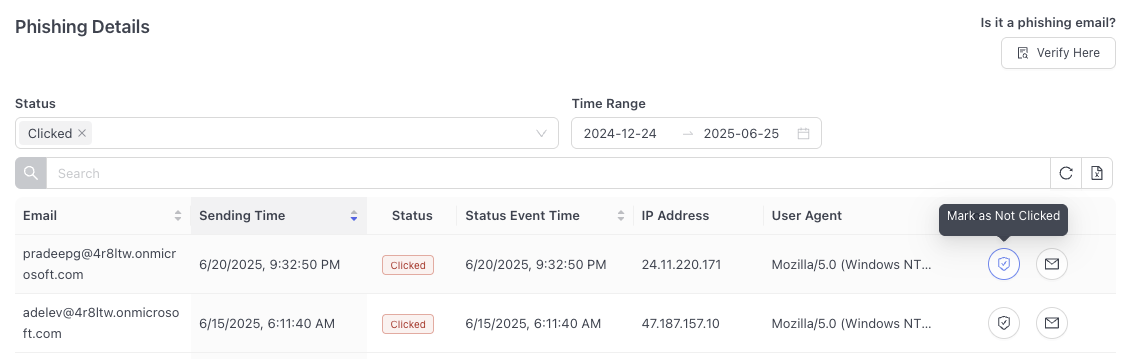
Sometimes a click is not really a click. For instance, a user may forward a suspected phishing email to their IT team and it is inadvertently clicked.
When this happens, we have a process to reverse the click so that the user is not penalized. An admin can access the dashboard and click "Mark as Not Clicked" on the falsely clicked phish.
Setting an external header
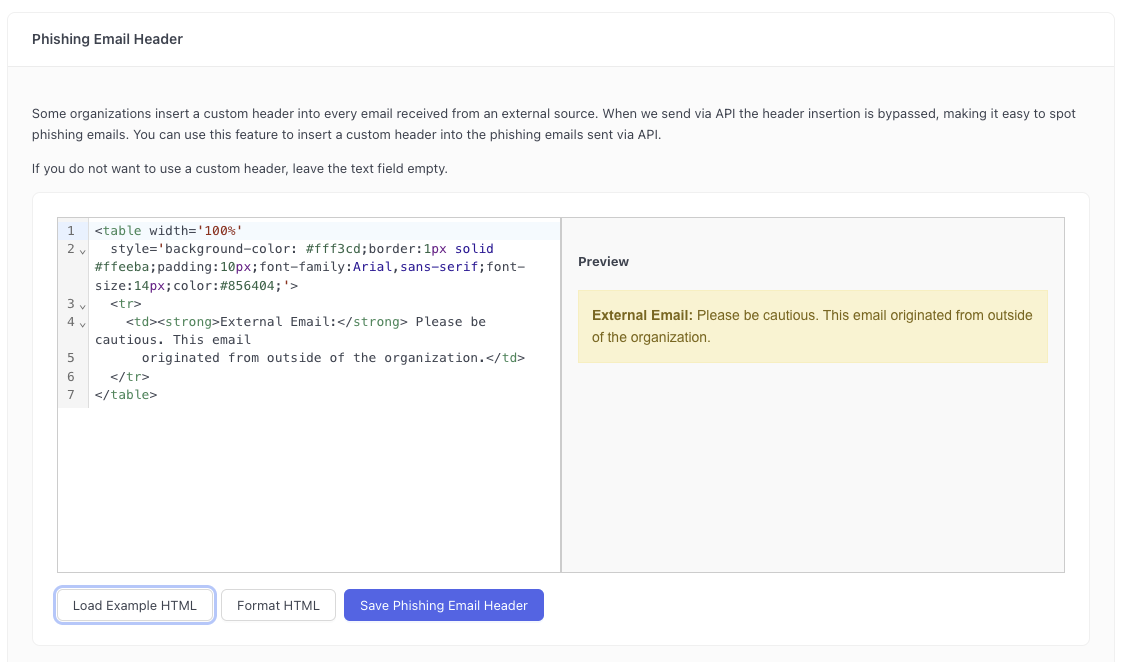
Some organizations insert a custom header into every email received from an external source. This helps improve security by making it apparent to users that their email was sent from outside the company.
When INFIMA sends phishing emails via API the header insertion mentioned above is bypassed, making it easy to spot phishing emails.
Administrators can configure an html snippet which we will insert into every phishing emails sent via API to that tenant. This makes simulated phishing emails indistinguishable to regulary received mail. You can access this menu by going to clicking Settings (tenant only) > Features > Phishing Preferences.