Archive / Delete / Remove a client
Rather than permanently deleting clients, we use archiving to preserve historical data and maintain audit trails. Archiving a client removes them from active status while keeping their records intact for compliance and reporting needs. This gives you the same practical result as deletion but prevents accidental loss of important data. You can pause or resume all INFIMA services and communications for a client through archiving and reinstatement. The affected services include:
- Training notifications
- Phishing emails
- Monthly reports
Billing Note
Archived clients are not included in the monthly billing report and you will not be charged for their user count. Reinstated clients are active and will be invoiced.
Archive a Client
- Log in to your INFIMA Dashboard.
- Select Partner Menu > Settings from the Navigation Panel.
- Under Danger Zone, select Client Archive.
- Find the client you wish to archive from the table.

- Click Archive.
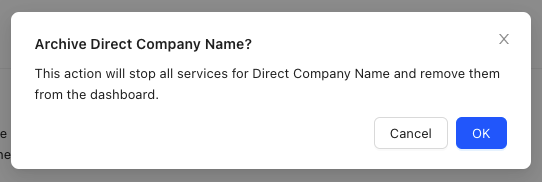
- Select OK to confirm your choice.
- The client is now Archived.

Reinstate an Archived Client
Usage Note
Reinstating an archived client enables all INFIMA services. Clients will continue with their previously defined training curriculum.
- Log in to your INFIMA Dashboard.
- Select Partner Menu > Settings from the Navigation Panel.
- Under Danger Zone, select Client Archive.
- Find the client you wish to reinstate from the table.
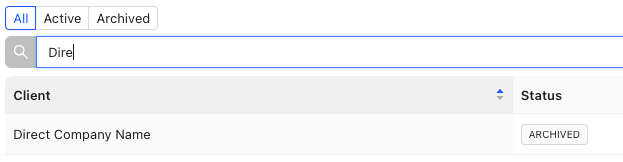
- Click Reinstate.
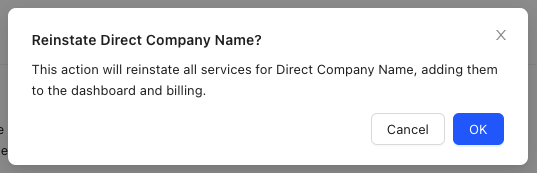
- Select OK to confirm your choice.
- The client is now reinstated.