
Google sync fails with admin_policy_enforced
When you (or the customer’s admin) try to authorize the INFIMA Google sync, the OAuth screen errors with:
Authorization Error Error 400: admin_policy_enforced
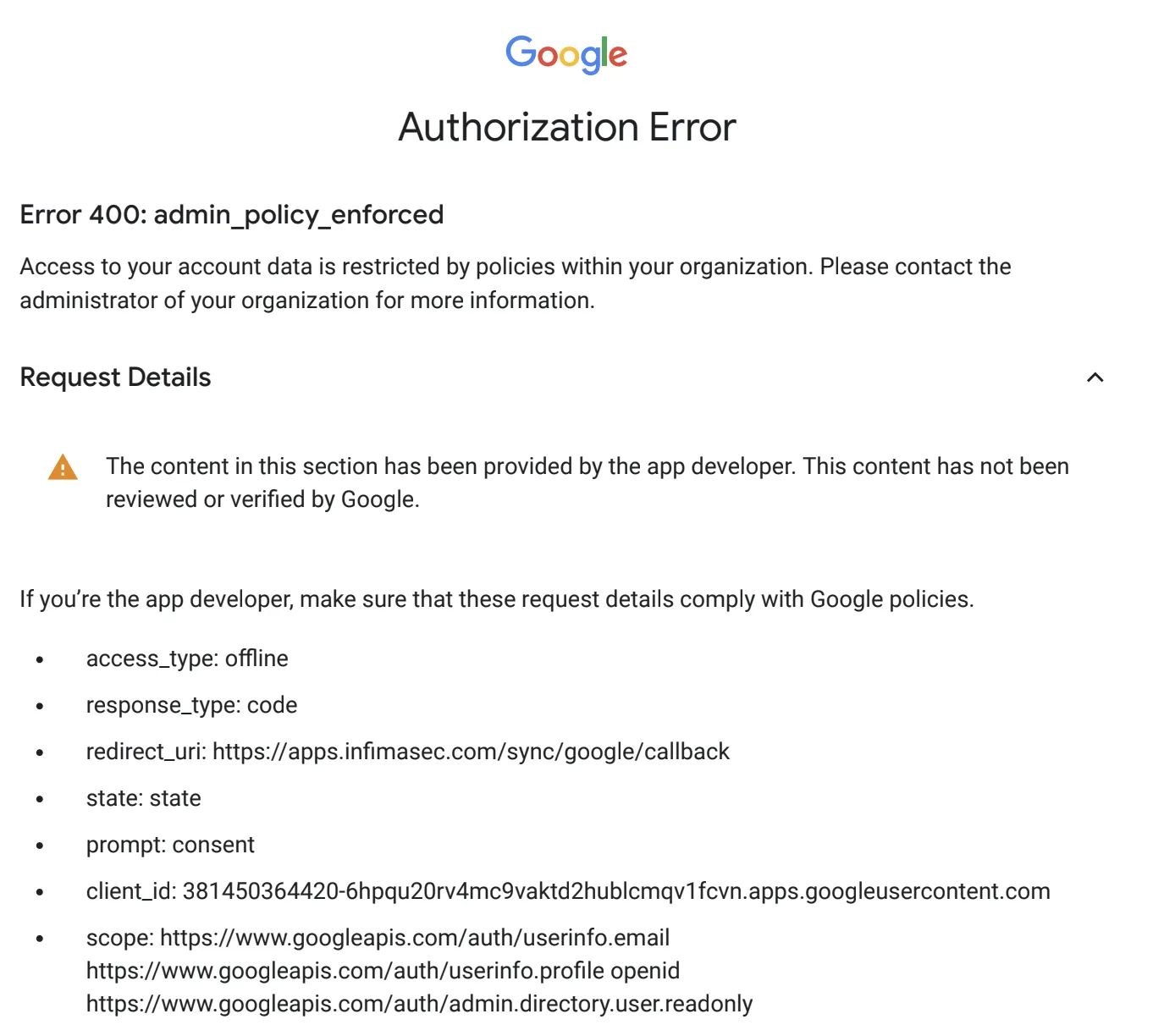
This isn’t a misconfiguration on our side. The customer’s Google Workspace has enabled the security policy that requires third-party OAuth apps to be explicitly trusted by an admin before users (even admins) can grant consent.
The fix is a one-time trust step inside Google Admin Console on the customer’s side.
The fix
Section titled “The fix”-
Sign in to admin.google.com as a Google Workspace administrator for the customer’s tenant.
-
Navigate to Security → API Controls. Use the search if needed.
-
Click Manage Third-Party App Access.
-
Click Add app → OAuth App Name or Client ID.
-
Search for INFIMA Login and pick that entry. This is the OAuth app the sync uses.
-
Configure the app as Trusted and confirm.
After this, re-run the sync from our app — the OAuth consent flow should now complete without the admin_policy_enforced error.
You’ll know it worked when
Section titled “You’ll know it worked when”- Re-running Sync with Google in our app gets past the OAuth screen and lands on the directory mode picker (All Users / OUs / Groups).
- The sync runs and the user list populates.
Frequently asked
Section titled “Frequently asked”I trusted a different INFIMA entry and the sync still fails — what’s the right app to trust? Trust the entry called INFIMA Login. That’s the OAuth app the sync uses today. (Previously there was a separate entry called just INFIMA — that’s been consolidated and INFIMA Login is the current name.)
Can I avoid this entirely with a sync-link invite? The sync-link invite still hits the same OAuth flow, just on the customer’s side. If their admin policy enforces app trust, the link recipient will hit the same error during consent. The trust step in Google Admin has to happen regardless.
The customer’s admin says trusting third-party apps isn’t allowed. Some highly-regulated environments lock this down. In that case the manual-setup path is your fallback — see Sync users for adding users manually or via CSV. You’ll lose ongoing automatic sync but get the program running.
The fix worked once, but now we’re seeing the error again on a different customer. The trust setting is per-Google-Workspace-tenant. Each new customer with the same policy needs the same fix in their Google Admin Console. There’s no partner-wide trust we can set.
I’m still seeing the error after configuring the trust. Wait 5–10 minutes for the policy to propagate, then retry. If it still fails: confirm INFIMA Login was the app trusted, and that the trust was set for the entire organization, not just an OU that excludes the admin doing the OAuth.
Related
Section titled “Related”- Sync users — the full directory sync walkthrough, including the manual-setup fallback when trust can’t be granted.
- A user isn’t getting training emails — separate diagnostic; useful if sync works but email delivery is the symptom.