
HaloPSA
The HaloPSA integration syncs INFIMA’s per-client user count into HaloPSA Subscriptions nightly. We create the Subscriptions for you when you map a client; you do a one-time manual step per client to attach each Subscription to a recurring invoice. From then on, billing quantities are current without your involvement.
You’ll need
Section titled “You’ll need”- Admin access to HaloPSA and your INFIMA partner settings.
- For each client you want to sync: an existing HaloPSA customer record for that client.
Walkthrough — HaloPSA side
Section titled “Walkthrough — HaloPSA side”Set up an API-only agent and an Application with the right permissions. Both are one-time partner-level steps.
-
Create an API-only Agent.
- Navigate to Configuration → Teams and Agents → Agents.
- Create a new agent. Name it INFIMA API (or similar).
- Check Is an API-only Agent.
- Add to a Default Team.
- Set permissions:
- Customers — Read Only
- Users — Read Only
- Software Licensing — Read and Modify
-
Create an Application.
- Navigate to Configuration → Integrations → HaloPSA API → View Applications.
- Create a new application with Authentication method: Client ID and Secret.
- Set the Login Type to the API-only Agent you just created.
- Grant these permissions:
read:customers,read:invoices,edit:softwarelicensing. - Save and record the Client ID and Client Secret — you’ll paste them into INFIMA next.
Walkthrough — INFIMA side
Section titled “Walkthrough — INFIMA side”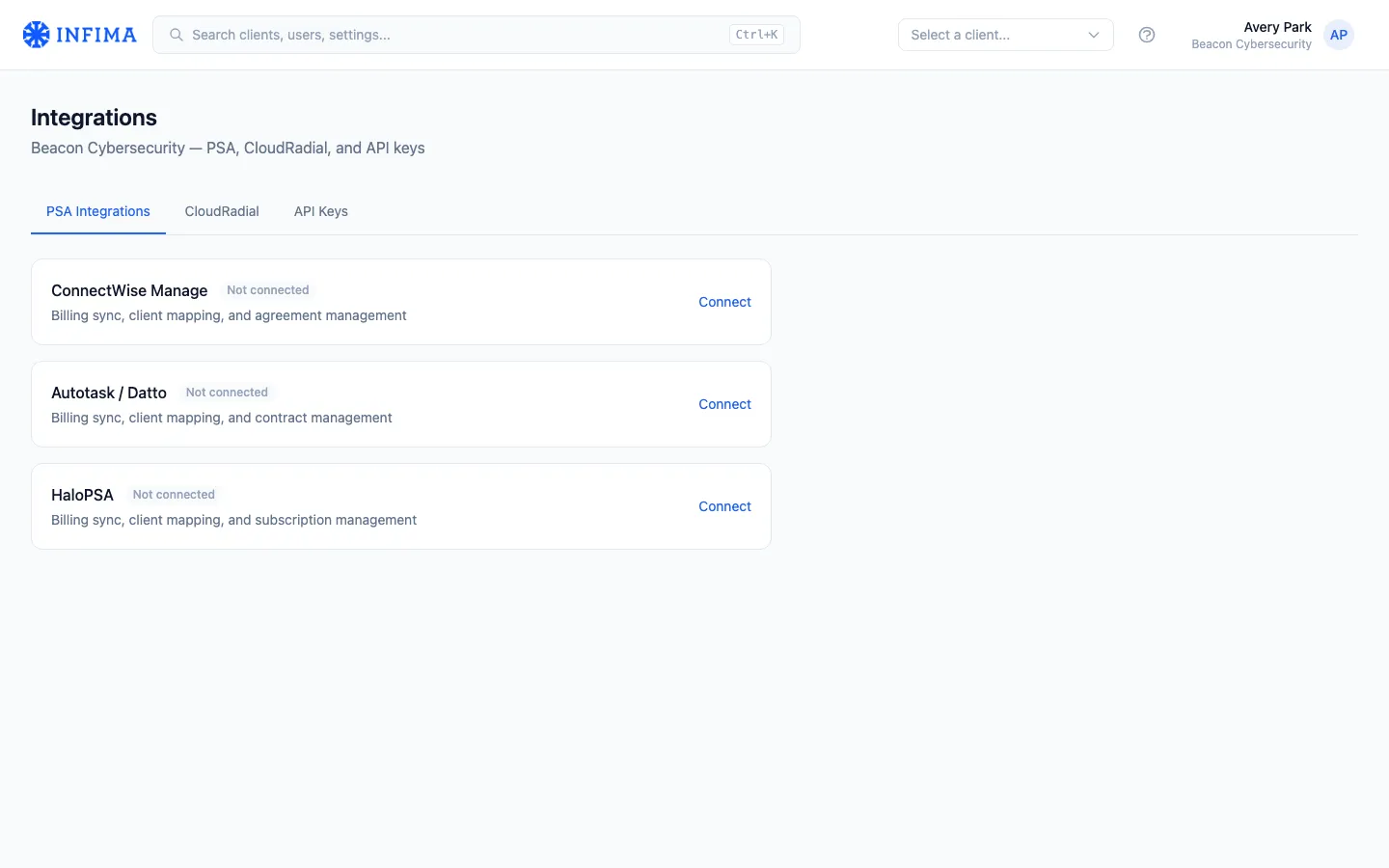
-
Open Settings → Integrations in your partner menu, then the PSA tab.
-
Click Connect on HaloPSA. A form appears for the connection details:
- HaloPSA URL — your Halo instance URL (e.g.,
https://yourcompany.halopsa.com). - Client ID and Client Secret — from the Application you created.
- HaloPSA URL — your Halo instance URL (e.g.,
-
Save. We test the connection. If it succeeds, the integration shows as Connected.
-
Map each INFIMA client to a HaloPSA customer.
- For each INFIMA client, click + and search for the matching Halo customer.
- Confirm and save the mapping.
- On save, we create a Subscription in HaloPSA against that customer for INFIMA’s service.
-
Attach each Subscription to a recurring invoice in HaloPSA. This is the manual step.
- Open the customer record in HaloPSA.
- Locate the Recurring Invoice tab.
- Add the new INFIMA Subscription to a recurring invoice and configure the billing cycle (monthly, quarterly, whatever the customer is on).
What syncs and when
Section titled “What syncs and when”- Nightly user-count sync — for every mapped client, we count active INFIMA users and write the number to the Subscription quantity.
- We don’t read or modify recurring invoices — that’s why the manual attach step matters. Once the Subscription is on a recurring invoice, the recurring invoice picks up the latest quantity at each billing run.
We don’t create tickets, push time entries, or touch anything else on the Halo side.
You’ll know it worked when
Section titled “You’ll know it worked when”- The integration shows Connected on the integrations page.
- Each mapped client has a paired Halo customer listed, and you see the Subscription on the Halo customer record.
- The Subscription appears on a recurring invoice (you attached it manually).
- The morning after configuration, the Subscription’s quantity in Halo matches the client’s INFIMA active user count.
Frequently asked
Section titled “Frequently asked”I mapped a client but the customer’s invoice still shows zero INFIMA users. You skipped the manual step. Open the Halo customer record, find the Recurring Invoice tab, and add the new INFIMA Subscription to a recurring invoice.
Why can’t INFIMA add the Subscription to the recurring invoice automatically?
Halo’s API doesn’t allow this. The edit:softwarelicensing scope covers creating and updating Subscriptions but not attaching them to invoices, so the attachment is necessarily manual.
I changed the Subscription’s name in HaloPSA. Did I break the sync? No. Descriptions, names, prices, and costs on the Subscription are safe to edit. Don’t delete the API Agent, Application, or Subscriptions — that breaks the integration.
A new customer was added in Halo but doesn’t appear in the INFIMA mapping search. The search hits Halo live; if the customer just got created and isn’t appearing, give Halo a minute to index. If still absent after a few minutes, confirm the customer is in an active state in Halo.
Sync didn’t update one client’s quantity. Confirm the mapping still points at the right Halo customer and the Subscription still exists. If both look good, the next sync should pick it up; if it persists, contact our support team.
What permissions does the API Agent need that we’d consider over-privileged? None. Read-only on Customers and Users, read-and-modify on Software Licensing. We can’t create or edit customer records, agents, invoices, or anything in the support / ticketing side of Halo.
Related
Section titled “Related”- Integrations overview — common shape of partner-level PSA integrations.
- ConnectWise PSA — alternative, nightly sync with pro-rata.
- Datto Autotask PSA — alternative, monthly sync.