
Tailor to your client
Sync got the client’s users into our system. Tailor is where you configure everything else for that client — branding, the user-facing experience, the Report Phishing button, reporting cadence, and more.
This page is the recommended sequence for the items most clients need configured right after onboarding. Each item links to its own article with full detail.
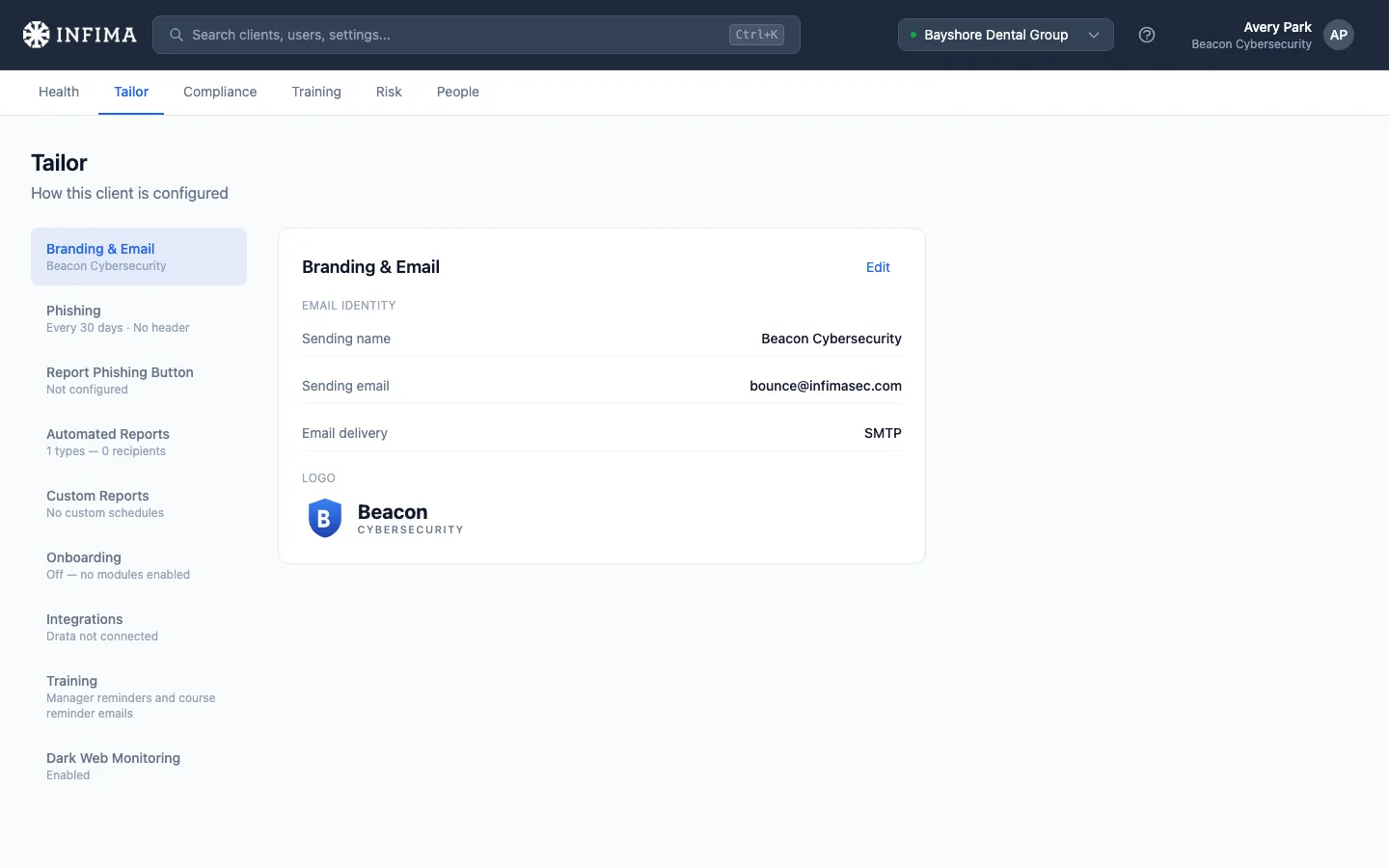
1. Confirm branding
Section titled “1. Confirm branding”Make sure logos, sending name, and sending email are correct for this client. If your partner default is right for them, there’s nothing to do — verify and move on.
See Branding defaults and per-client overrides for details.
2. Decide onboarding choices for users
Section titled “2. Decide onboarding choices for users”Welcome email on or off (and how many business days to hold it after a user is added, for clients who add people before they start), the in-portal onboarding sequence, and the other user-facing first-impression settings that shape what your client’s users see when training kicks off.
See Welcome email and onboarding.
3. Deploy the Report Phishing button (Microsoft 365 only)
Section titled “3. Deploy the Report Phishing button (Microsoft 365 only)”Adds a one-click report button to users’ Outlook clients so they can flag suspicious emails. Microsoft 365 clients only — not currently available for Google Workspace.
4. Set up reporting
Section titled “4. Set up reporting”Decide whether the client gets automated monthly reports, and configure any custom reports they need. Reports cascade from your partner default too — set those once and most clients are covered.
See Scheduled reports and Custom reports.
What’s next
Section titled “What’s next”If the client needs framework-driven compliance reporting, head to step 4: Pick a framework. Otherwise, the client is set up. Every client has Security Awareness Foundations assigned automatically, so training and phishing tests both start landing in user inboxes from here — phishing draws from the templates you’ve enabled at the partner level or in Tailor; training follows the Foundations curriculum at the cadence you’ve set.
For everything else in Tailor (Dark Web Monitoring, integrations, reminders, phishing template customization), see the relevant subsection under Tasks in the sidebar.