
How policy reminders reach your users
Once you’ve published a policy, the natural next question — and the one your client will ask you — is “how will my people know, and what happens if they don’t act on it?” This page walks through what your users experience, so you can answer with confidence.
Where users see a policy
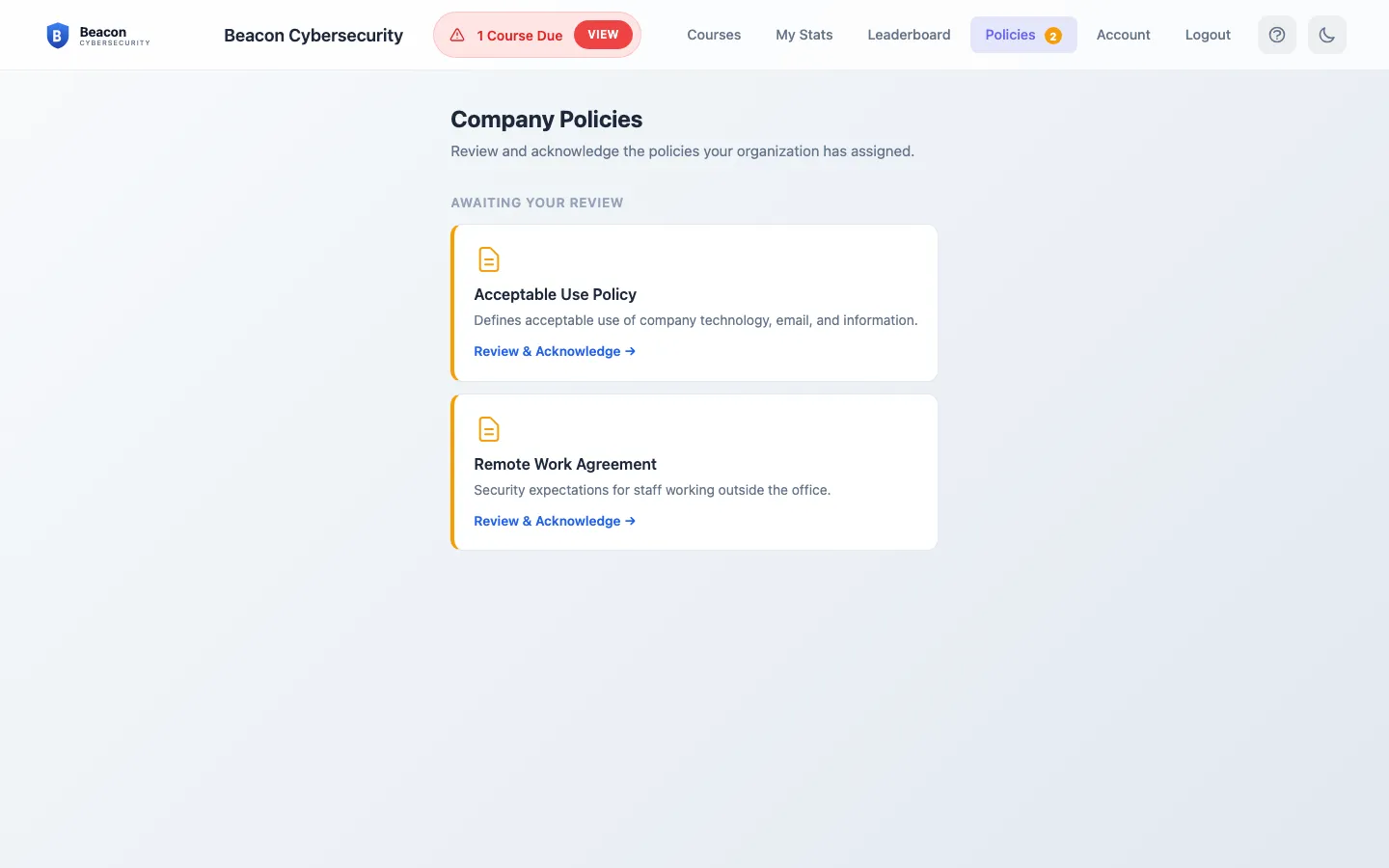
Section titled “Where users see a policy”When a user has a policy waiting, a Policies item appears in their learning portal with a count of what’s outstanding. It only shows for users who actually have a policy assigned — a client with no policies, or a user outside a policy’s audience, never sees it.
From there the user opens the document, reads to the bottom, and confirms it. If you set the policy to acknowledgment, that’s a single click. If you set it to signature, they type their full name to sign. Either way, the moment they confirm, the policy moves to their completed list.
When we remind them
Section titled “When we remind them”Policies don’t get their own separate reminder stream. Instead they ride the reminders your users already get:
- A user with training due gets their usual training reminder, and any policies they owe are listed right in that same email — so one message covers both.
- A user with a policy due but no training gets a short, standalone policy reminder on the same schedule, so they’re not missed just because they had no course waiting.
- A user who owes nothing gets nothing.
Because policy reminders travel with training reminders, they follow the same delivery schedule you’ve set for the client. If you pause a client’s training reminders, their policy reminders pause too.
Renewal
Section titled “Renewal”A confirmation is good for the renewal period you set on the policy. As that window comes to a close we flag the policy as coming due again, and if it lapses we flag it as overdue — both surface in the same reminders, so a yearly re-acknowledgment doesn’t quietly slip.
Right after training
Section titled “Right after training”When a user finishes a training course, the completion screen also points them to any policies they still need to review — a convenient hand-off while they’re already signed in, rather than waiting for the next reminder.
Frequently asked
Section titled “Frequently asked”Do I have to set anything up for reminders? No. Publishing the policy is enough — reminders begin from the reminder schedule the client already uses for training.
Can a user get reminded about a policy but not training, or vice versa? Yes. Whatever a user actually owes is what they’re reminded about. Someone with only a policy due gets a policy reminder; someone with only training due gets the usual training reminder; someone with both gets a single email covering both.
What if the client doesn’t run training reminders? Policy reminders follow the client’s training-reminder delivery. If those are turned off for a client, policy reminders won’t go out either — the users will still see outstanding policies when they sign in to the portal.
How do I see who still hasn’t completed a policy? Open the client’s Training → Policies, expand the policy, and you’ll see each user’s status. See Publish a policy for users to acknowledge or sign.
Does completion show up for compliance? Yes — the client’s compliance report includes a policy section with per-policy standing and an overall rate.
Related
Section titled “Related”- Publish a policy for users to acknowledge or sign — how to add and track a policy.
- Training reminders — the emails policies are folded into.
- Control when training reminders go out — the schedule policy reminders follow.