
Offer the course library
Users sometimes want more than what’s assigned to them — a manager who wants the wire-fraud course before an audit, a new hire who’d rather binge the fundamentals in week one, or you yourself wanting to preview a course before assigning it to a client. The course library covers all of that: a Library tab in the learning portal where any user can browse every general course and take any of them, no assignment needed.
The library is on by default for every client. Nothing in it is ever required: the page says so prominently, every course is labeled Optional, and anything that is assigned to the user carries an “Assigned to you” tag pointing back to their Courses page.
What users see
Section titled “What users see”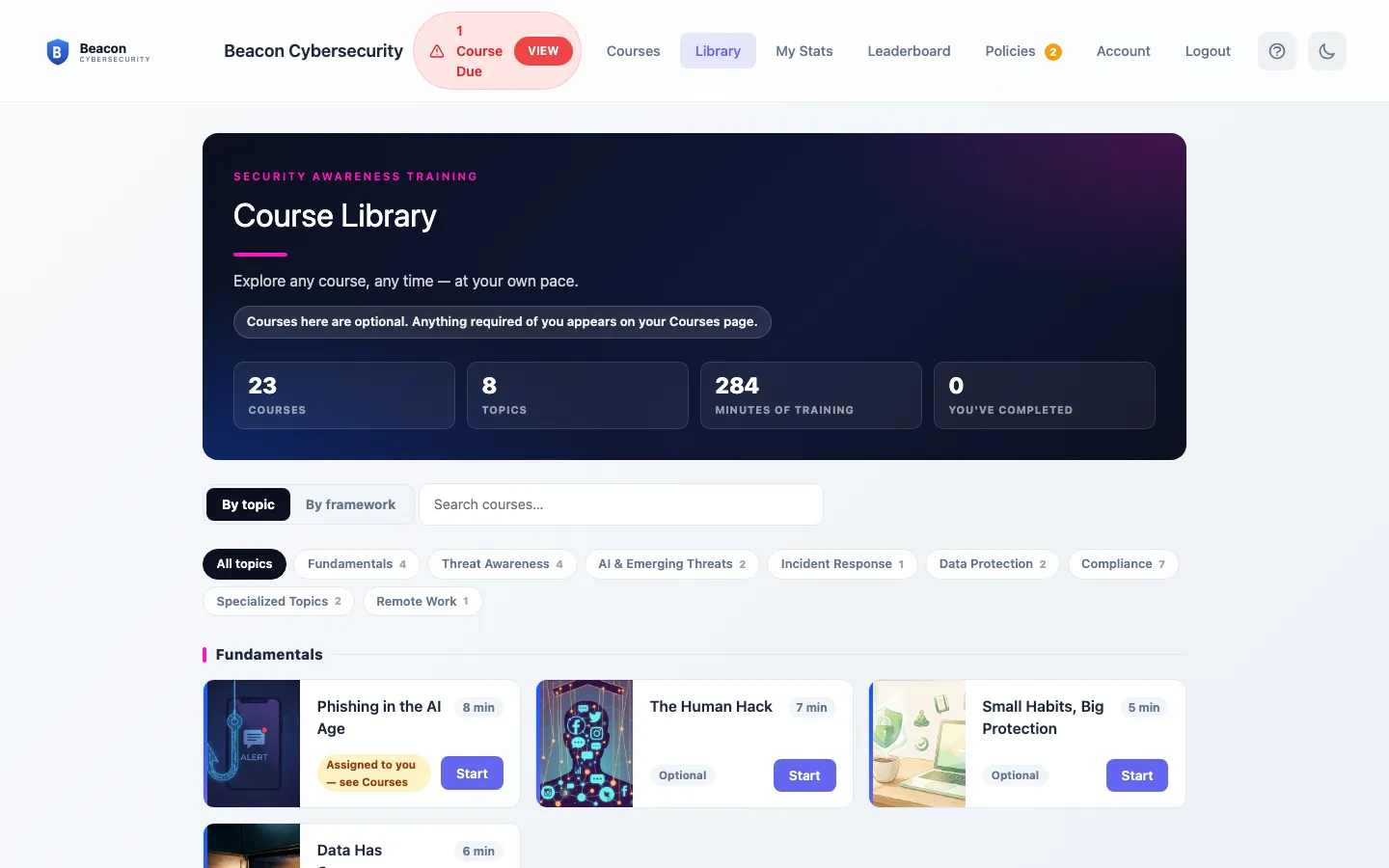
The library is organized the same way as our course catalog — Fundamentals, Threat Awareness, AI & Emerging Threats, Compliance, and so on — with each course showing its length. Users see:
- Every general-audience course, grouped by topic.
- Custom courses we’ve built specifically for your organization, in their own section at the top — these are only ever visible to your own users, never to anyone else’s.
- A Completed tag on courses they’ve already finished (whether assigned or voluntary) and an Assigned to you tag on courses that are currently part of their required training.
Demo content and remediation micro-courses never appear.
How voluntary completions are counted
Section titled “How voluntary completions are counted”Taking a library course works exactly like taking an assigned one — same player, same quiz, and the user can request a certificate afterward. The difference is in the bookkeeping:
- Voluntary completions are recorded as self-enrolled and kept separate from required training. They never change a client’s completion rate, framework standing, or compliance reports.
- If a course a user completed voluntarily is later assigned to them, we credit the recent completion automatically — they aren’t asked to take it again.
Turn it off (or on) where you need to
Section titled “Turn it off (or on) where you need to”The library follows the same cascade as welcome emails: a partner-wide default, with a per-client override that wins when set.
-
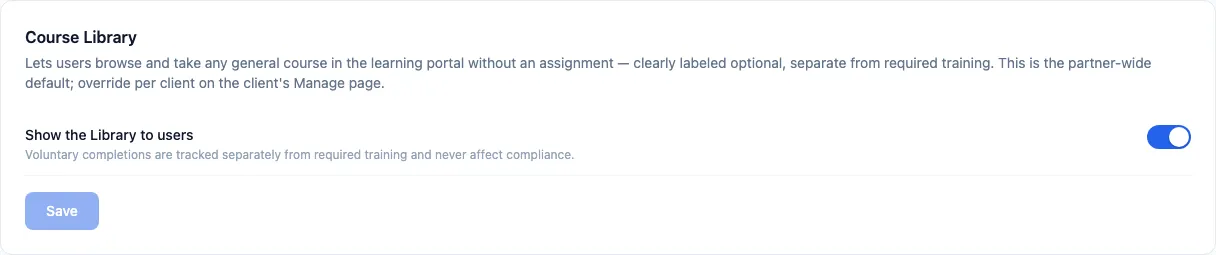
Set your partner-wide default. Go to Settings → Training Defaults → Course Library. The “Show the Library to users” switch is your master switch — it applies to every client that hasn’t set its own override.
-
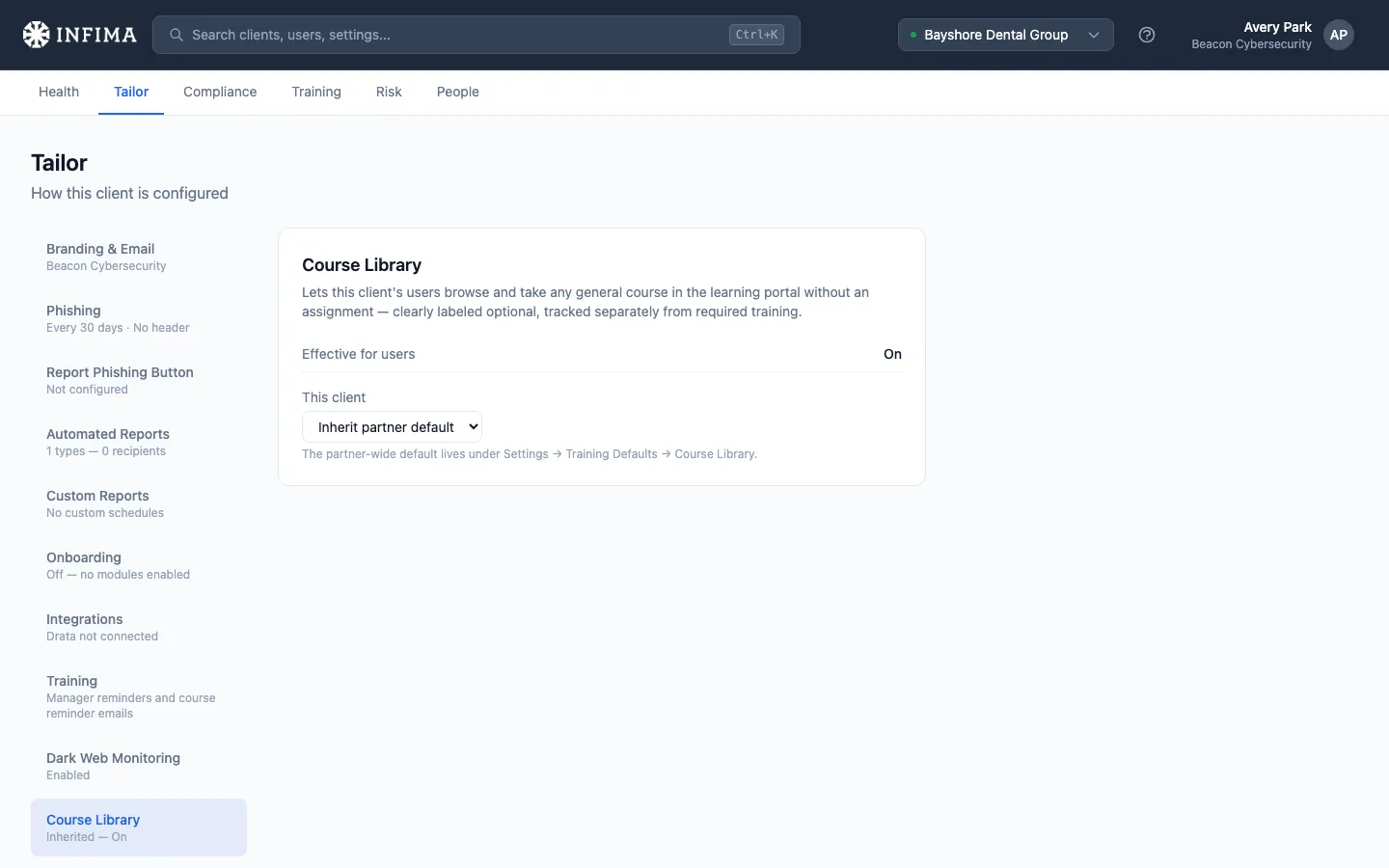
Override for a specific client when needed. Open the client and go to Manage → Course Library. The selector offers Inherit partner default, On, or Off — and shows what’s currently in effect for that client’s users.
-
That’s it — there’s nothing to maintain. New courses we publish appear in the library automatically, and retired courses drop out on their own.
You’ll know it worked when
Section titled “You’ll know it worked when”- With the library on, users see a Library tab in the learning portal next to Courses.
- With it off for a client, the tab disappears entirely for that client’s users — there’s no empty page left behind.
- A voluntarily completed course shows a Completed tag in the library, and the client’s training completion metrics are unchanged.
Frequently asked
Section titled “Frequently asked”Does voluntary learning affect my client’s compliance or completion numbers? No. Required-training metrics only count assigned work. Voluntary completions are tracked separately and never move a completion rate, framework evaluation, or report.
Can I preview a course before assigning it to a client? Yes — that’s one of the library’s main jobs. Open the learning portal, go to the Library, and take any course end to end. Your completion is voluntary like any other and affects nothing.
Why don’t I see a course in the library that I can assign? The library carries our general-audience catalog. A small number of specialty courses (framework-specific and remediation content) are assignment-only, and courses in our older player format aren’t self-serve. Everything else appears automatically.
A user completed a course voluntarily and I assigned it the next week — do they retake it? No. A recent voluntary completion is credited to the new assignment automatically. If the completion is old, the assignment asks for a fresh pass — the same recency rule that governs all training credit.
Do users get certificates for library courses? Yes — the certificate flow is identical to assigned training.